Google Tag

Showing posts with label SamsungSA. Show all posts

Wednesday, September 2, 2020

Bucket Tech: Samsung Galaxy Z Fold 2 5G

Yesterday Samsung Mobile SA officially launched its much anticipated Galaxy Z Fold 2 mobile device in the country. During their live stream launch, Samsung gave us insight into what makes this 3rd foldable device from their range so special and why it's been generating so much hype world over. Folding mobile devices is a whole new category to the portable technology range and while so far only two manufacturers have come to the party, Samsung is leading the way in terms of design and development of such. It's a phone, its a tablet, its a world of innovation in the palm of your hand and its beautiful! The Samsung Galaxy Z Fold 2 has come a long way since the first gen with Samsung through much research and development ironing out most if not all of the bugs from the first one. Biggest one being the "crease" which users found to appear after much opening and closing of the device, Samsung have seemed to remedy this by making an all new state-of-the-art hinge using cam technology which operates smoothly and doesn't put that much pressure on the screen, as well as sourced new materials to make the folding glass helping to prevent this from happening on the Galaxy Z Fold 2. 


I know many will be looking at this device and wondering "why", well its innovation at its finest and in time to come could be the way mobile devices of the future will be made. As the generations of devices were made, it went form big to small due to evolution of components, with the introduction of smartphones and touch screens, devices had to get bigger to give the end user a bigger and clearer picture or working space, with folding tech this can still be achieved and keeping the device at a decent size. We saw this with the Samsung Z Flip which folds into a compact wallet size pouch but unfolds into a standard sized smartphone. With the evolution in tech, devices like the Samsung Galaxy Z Fold 2 could replace the smaller variant of tablets on the market. It gives you and experience like nothing you've had before, with you being able to use the device in various openings to suit your need. With the UI and large screen it is possible for your to work on multiple apps at the same time, having them as windows on your screen all while chatting to someone on a messaging service, the possibilities are endless with the Galaxy Z Fold 2.


In closed mode, the Galaxy Z Fold 2 is a normal smartphone with a 6.2" touch screen which you use just as a normal smart device. Perfect for one handed operation, whether its texting, talking, gaming or taking pictures. Unfolded, the main screen measures a massive 7.6", the display delivers rich colours of dynamic AMOLED 2X4. The screen is designed to emit less blue light so you can unfold to a table-sized viewing experience for hours on end with minimal strain on your eyes.  All the apps for the Galaxy Z Fold 2 are optimized for the devices which feature app continuation, so if you're working on the device while its folded, soon as you unfold it, the app you're working on will transfer to the bigger screen so you can continue with what you were doing and not lose any vital information. You can also drag and drop files from various apps which makes things much easier and quicker. 

Speaking of quick, the Galaxy Z Fold 2 omes with a 5G chipset so it's ready for the fastest network. With the device boasting a dual battery with a combined power output of 4500mAh, along with improved AI which actively saves the phones energy, you can be rest assured that the Galaxy Z Fold 2 will give you more than a days worth of use. The Z Fold 2 comes with a triple camera set-up, all three of them being 12MP with a wide, telephoto and ultrawide lens. The Selfie camera is a 10MP wide lens which there is two off, one on the front folded screen and one in the large display. The Galaxy Z Fold 2 will be available for pre-order from the 7th of September 2020 at a RRP of R49,999 with units due to arrive towards the end of the month. It will be available in two colours, Mystic Black and the ever popular Mystic Bronze. 


Friday, August 7, 2020

Bucket Tech: Samsung Galaxy Note 20 Unpacked

Wednesday saw Samsung unveil their latest in the Note model of flagship devices to the world, the Note 20 series showcased just why it remains one of the worlds leading business orientated smart devices. Experiencing the launch from home was a first for many of us media partners but hats off to Samsung SA for having a private launch for us so that we could ask some questions to the big wigs before the global proceedings. So whats new with the Note? Well lots, first up there's three variants, the Note 20 LTE, the Note 20 5G and the Note 20 Ultra 5G. With global demand shift to 5G networks its understandable that most models would be 5G ready, SA has already begun its roll-out in main business areas and slowly it will make its way all over, with this in mind Samsung SA chose to also bring in the LTE version of the device seeing that many wont be able to make full use of the 5G services. 

Both devices are styled beautifully, both in a full metal unibody available in a host of mystic colours, with the pick of the bunch being mystic bronze. The Galaxy Note 20 features a 6.7" Infinity-O Display with the Ultra having a bigger 6.9" Infinity-O Display and a refresh rate of 120Hz! Camera wise, both devices feature packed optics with both having a triple camera systems, the Note 20 features a 64MP main camera with 3x hybrid optical zoom and the Note 20 Ultra having a 108MP main camera with 5x Optical zoom from the telescope lens. The Note 20 Ultra has 8K recording capabilities hence the high refresh rate on the screen, for ultra clear and crisp footage. Battery life on both devices is as good as it gets, with the standard Note 20 having a 4,300mAh battery and the Ultra coming with a 4,500mAh battery.  

The key selling point for the Note is how it is transforming the way we work, with the drastic change in times that we're in, working from just about anywhere is critical so with the Note 20 it is trying to give you an all in one business capable device. With easy synchronization from Dex via Microsoft or Google, you can start off working on documents from your phone and finish them off on your PC or tablet. With the dynamic new S-Pen, you can jot down notes and the new AI converts them into text, the AI learns as you write and predicts what you're writing for faster point taking. It can also record conversations or lectures as your write so you can listen to what was being said while you were making notes, a real game changer for many. 

While the Note 20 might be seen as a business device, Microsoft came in to ensure that it has a fun aspect to it as well with its Xbox pairing system. With the Bluetooth controller and clamp you can use the Note 20 as a second screen for gaming or carry it around wherever you go and continue your favourite games when you have nothing to do. It's perfect for all you gamers out there as with the Xbox controller, you don't feel out of touch having to readjust to using the phone as your controller. Don't have an Xbox? Well thats okay too, you can cast your phone screen to your smart TV and then your Note 20 becomes the controller!

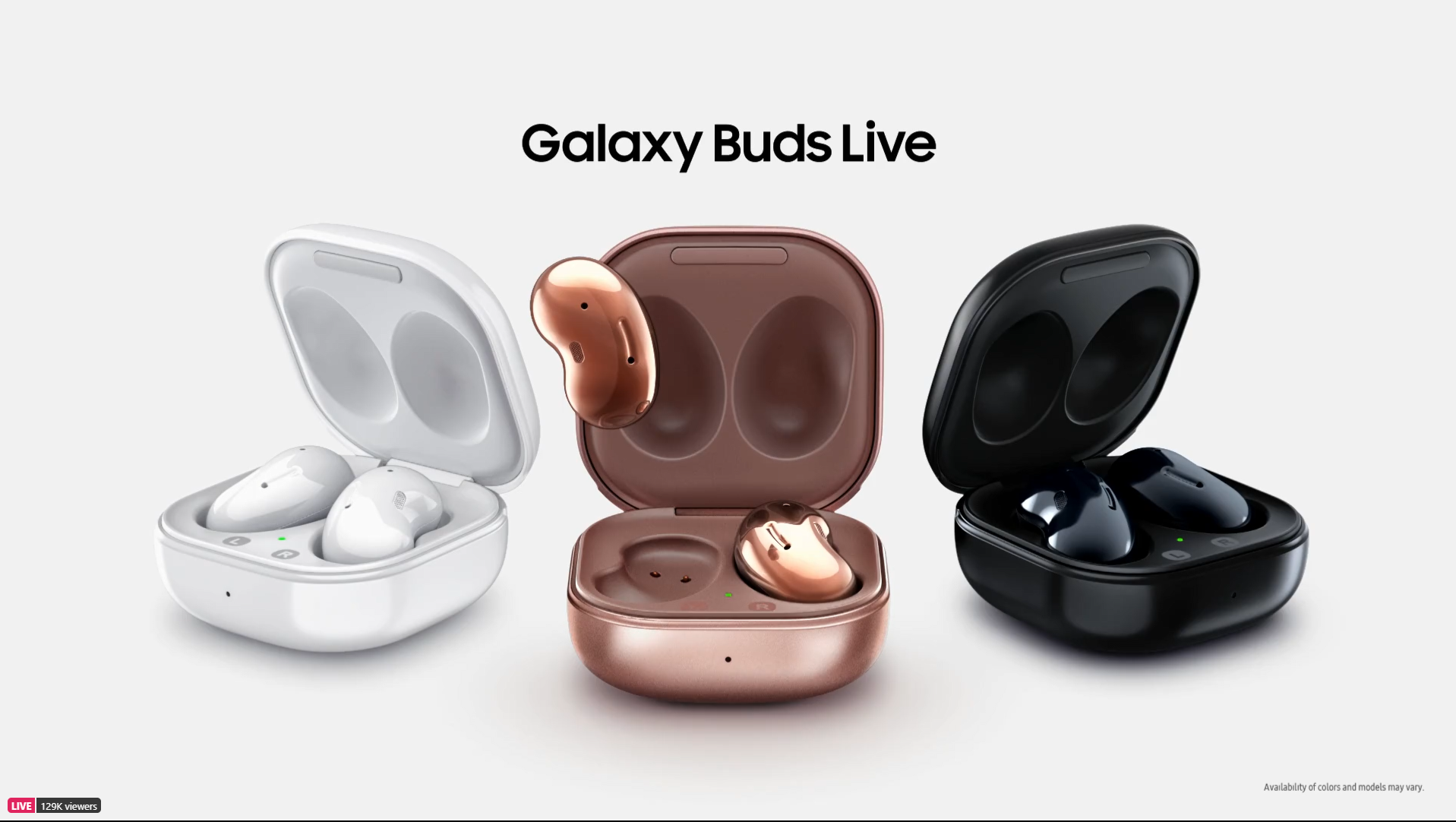
Samsung also launched some other goodies at the launch, first being their new Galaxy Buds Live, a retake on the  conventional wireless earphones. This all new design looks like a bean, has a perfect in ear fit thats not only comfortable but sits well too, so there isn't a risk of it falling out while you're on a run or doing vigorous exercises. The Buds Live also works well with the video camera on the device, where it can pair up with the mic and record your voice clearly while in a crowd. It has a 6 hours playing time and the carry case has up to 21 hours charging time for the buds. Also launched was the Galaxy Watch 3, a stylish new edition to the smart watch models in the range, it features a host of apps, as well exercises which pair to your phone and can be cast to your TV so you can see follow the training from there. It also has built GPS to track your runs and workouts, an ECG setting to check how fit you're are as well as give you accurate blood pressure readings on the go. Another cool feature is how you can personalize the watch face by snapping a picture of what youre wearing, the AI will select faces with colours close enough to match your outfit!

Local pricing for the devices are as follows.

  • Galaxy Note 20 LTE - R24,999
  • Galaxy Note 20 5G - R27,999
  • Galaxy Note 20 Ultra 5G - R36,999
  • Galaxy Buds Live - R3,999
  • Galaxy Watch 3 LTE - (45mm) R10,499/ (41mm) R9,999
  • Galaxy Watch 3 Bluetooth - (45mm) R9,499/ (41mm) R8,999
All these devices will be in the country from the end of August with pre-orders already open on the Samsung e-Store. Pre-orders for the Galaxy Note 20 will include a R4,000 voucher to spend on anything from the store. Samsung Global launch also showcased the Galaxy Z Fold 2 which will be available in the country from September. 

Friday, February 22, 2019

Bucket Tech: Samsung #Unpacked


Wednesday saw Samsung unveil their latest range of Galaxy smart phones, with rumours rife from last year, everyone was keen to see if the S10 did feature a folding screen. From long before the smartphone, Samsung had a great legacy with its flip phones, none more popular than the E600 which at one stage was the best selling phone in the country. A return to this sort of model of device, with it's nostalgic background was appealing to many but 24 hours prior to the official launch, hopes were dashed as Samsung Norway mistakenly uploaded their ad for the S10 and S10+ on YouTube and while the device looked fantastic, it didn't fold up but knowing Samsung the event had more in store for us than just two devices, fast forward 24 hours and we were not disappointed. 


The local launch took place at Discovery's head office in the heart of Sandton and proved to be the perfect setting to watch the live stream event. The very first device that was unveiled was the Samsung Galaxy Fold, yup they did it, Samsung made a device with a folding screen! While it wasn't quite the device some of us were expecting, it is a major breakthrough in technology. Essentially the Fold is a tablet that folds into a device the size of your average smart phone. It it has two screens, one on the front which is a 4.6" HD_Super AMOLED touch screen and when opened up, the screen on the inside measures 7.3" and is a QXGA+AMOLED. The Fold packs massive specs, 12GB of RAM, 512GB of onboard memory, a 7nm 64 bit-Octa Core processor and because of the fold, it has two batteries which function as one, with a combined power of 4,380mAh. The Fold has 6 cameras, 3 on the back, which feature a 16MP Ultrawide camera, 12MP Wife Angle camera and a 12MP Telephoto camera with 2 x Optical Zoom. The Fold has 2 cameras, which are a 10MP Selfie Camera and a 8MP RGB Depth camera, and lastly on the cover, a 10MP Selfie Camera. The Fold runs Android 9.0 and features app continuity, which basically means, if you're using an app when the device is folded, when you open it, the app displaying the same information expands onto the larger screen. It also has 3 app multitasking, so you can use 3 apps at the same time. Pretty powerful stuff from the Korean electronics manufacturer. Local release date for the Galaxy Fold in SA is said to be with the global launch on the 26th of April but no local pricing details are available yet, don't expect it to be cheap though. 


After the main attraction left everyone in awe, it was time for us to meet the rest of the Galaxy squad. Samsung launched 3 versions the Galaxy S10 on the night. The normal Galaxy S10, the S10e and the S10+. All devices boast their new infinity-O design screen with the screen extending over the bevel, giving the user a greater screen to body ratio. The one thing that strikes you is that the device doesn't feature the famous "notch" that other brands have on theirs. Samsung have laser cut the front facing cameras into the actual screen, so it just a black dot on the top right corner. The Galaxy S10 is powered by Samsungs Exynos 9820 Octa-core chipset with memory on the S10 at 128GB and ranging from 128GB up to 1TB on the S10+. The Galaxy S10 finally features tripe lens technology with an ultra wide lens, with a 123 degree width, the same as the human eye. Colours captured by the device in all light conditions look astounding but as Samsung's claim to fame with their mobile device cameras, is definitely the video quality, the Samsung S10 records videos in HDR10+ which is a format developed by Samsung to beat Dolby Vision and will feature on all their smart TV's. It has Dynamic Tone Mapping which gives you a brighter, more crisp picture with an insane amount of detail. Samsung also announced a host of collaborations, one which caught our attention was one with Adobe, who created a version of their popular video editor, Premiere, called Premiere Rush exclusive for the Galaxy S10. It gives the user a powerful video editor on their device so they can make stunning videos on the go. Other notable collaborations was with Instagram, which allows to user to edit pictures using Instagram tools and upload the picture instantly. 


Pre-Orders for the Samsung Galaxy range have begun, with everyone who pre-orders getting a set of Samsungs new wireless buds which are valued at R3500 for free. The price range for the Galaxy range starts off at R15,000 for the S10e, S10 comes in at R18,999 and up to R35,999 for the S10+ 1TB.  Overall, pretty convincing products by Samsung, who are laying down the challenge to the others in the market as they aim to keep their number one status in the country for yet another year. 

Friday, August 1, 2014

#MissionSamsung Blogger Challenge: Mission 3


It's the 3rd and final week of the Blogger Challenge and with it bring the final mission, well it isn't really a mission, more of a recap on how the Samsung LED Smart TV was the ultimate guest at my place. I'll be honest, when the TV first arrived at my place, I was a tad bit disappointed. Why? well I own an older generation 50" Samsung Plasma TV so to down grade to a 40" was a massive adjustment for me but then again I was judging the TV before I even switched it on and that's exactly what changed my mind about it.


The sleek sexy design and smart chrome stand was nice but striaght away the clear crisp, full high definition LED display mesmerised me, clarity of such high quality, it felt as though I was looking at a photograph. After setting up the internet connection which can be done either with a LAN cable or via WiFi, the Smart TV then prompted me to do a software update, it was a bit new for me to see a TV asking for such a command but after 5 minutes, it had the latest update and I was ready to go. 

Software update
The Smart Hub is where the magic happens, with various apps available to download, your hub is fully customisable by you, the user. From social media applications, video streams, to an internet browser, it was all there at a touch of your remote. Updating your Facebook status or reading your Twitter time line on the big screen was a treat! But the best for me was definitely watching YouTube and Vine videos, searching and streaming to your heart and minds content. 

Smart Hub
With the TV we were given a Samsung S4 Active mobile device, it was meant more for capturing moments with us using the TV but because of the ease of intergration Samsung has with their devices, the phone was synced to the Smart TV by means of the WatchOn and Smart View 2.0 apps. both of which are available on the Samsung App Store for free. WatchOn enabled me to control the Smart TV with my cellphone, so if you cannot find the remote or it's out of reach, all I had to do was whip out my phone and BOOM! remote on my phone!

Using my Samsung mobile device as a TV remote
Samrt View 2.0 was another app that came in very handy, ever take pics and videos on your phone, then want to show them to various people but because of the size of the phone, only a few of them can view it at a time? Well with this application, all you had to do was sync the devices , scroll through your phones gallery and by means of a swipe gesture, flick the picture onto the TV screen for everyone to see! The screen sharing didn't stop there with this app as it worked both ways, I could view what was on the Smart TV, on my Smart Phone! That way I never missed any second of the action!

Viewing pictures from your Samsung mobile device on the Smart TV
I could go on and on about how this TV has made my life so much easier over the past 3 weeks but one really needs to exprience it to believe it, the picture quality is like nothing I've seen before. When viewing full 1080i high definition videos or playing HD console games, the TV exceeded expectations on clarity and refresh speeds. From my experiences with the challenges from Movie night with mates to exercising in the comfort of my home, every one of them has been enjoyable.

streaming Live TV to your Samsung mobile device
To end off, a TV used to be a means for people to watch what was broad casted by their various service providers and for a long time it remained that but like technology evolved with the cellular phone, so it did with the television set, like smart phones, I foresee Smart TV's to be a necessity for all house holds in the future. People are tired of being forced what to watch, they want choice, they want options and with the Smart TV they are getting that and so much more. With the internet being a key part of our daily lives, seeing the merger onto this platform is like a match made in heaven. It truly is the Smart way of watching TV.

Reading my Twitter feed on the Smart TV

Thursday, July 24, 2014

#MissionSamsung Blogger Challenge: Mission 2


It's the second week of the #MissionSamsung Blogger challenge and after the first mission of the viewing party went well, the competition just got a whole lot hotter! ...well sweatier. In this weeks challenge contestants were asked to download one of the many fitness apps on the Samsung Smart hub and choose from a variety of exercise programmes to partake in. Seemed simple enough right? Well, it was, to a certain extent, here's why. 


Most of us go to gym regularly, or at least try to go to gym, as with many of us leading busy lifestyles we find it hard to get in that balance of work and exercise. When we do manage to get into the gym, it is often very busy and one finds them self spending more time queueing to use a machine than actually getting a work out done. Then there is the personal trainers, we see them at the gym, we know they would be helpful in our quest to lose those extra kilo's but it is always daunting to go for a session with them in fear of us dying on the gym floor. What if I told you, that you could have your own personal trainer at home?


Day 1
Well with the fitness app on Samsung's LED Smart TV, that is exactly what you are getting! Once downloaded, all you have to do is input your details and your measurements, including weight. The app then calculates your BMI. From there you can set yourself goals, my goal was to loose a kg of weight in 8 days. It calculated an 8 step program which required me to burn just over 1100 calories with various exercise routines. One step 1 per day, equalled to three 20 minute videos which helped me burn approximately 65 calories per video. The videos were great, each of them starts off with a mild warm up and works their way into a rigorous workout, by the end of it you will be enjoying it so much that you actually forget about the intense workout you're getting!


Day 2
After the success of day 1, I was keen to get onto day 2! Well first I had to get out of bed! You see, my gym routines has remained the same over the past 3 years so I was only focusing on a few areas of my body, with this 8 step program, it focuses on every aspect of your body so the next day, muscles that I never knew existed were telling me hello! Never the less, I soldiered on through the day and was ready for the next step. The cool thing about the app, is that it updates the number of calories you've burned while doing the various videos. So you can track the progress you're making. 


Day 3
Getting used to the sore muscles and convincing myself that it is a good thing, getting up on the 3rd day was much more rewarding but after a stressful day at the office, I was not in the mood to continue with the program that was chosen for me but the great thing with the fitness app is that you can break away from the routine and opt to do something else. So I tried out some Yoga, the thing is, if I had gone to the gym, I would NEVER chosen to do Yoga, firstly the classes are at times I am simply not available and by doing it at home in the comfort and privacy of my own home, I didn't have to worry about making an ass of myself trying to pull off some moves. I was quite blow away by the many videos available, from beginner level all the way up to master level. It really was a great experience and will definitely try it again. 


The thing that stood out for me was the workout you get from these programmes, I for one never did buy into the whole exercise TV thing and always felt the need to go out to the gym to get the workout you needed. After these past 3 days I can safely say it was more intense than any work I've had before, even though I might burn more calories at gym on a daily basis, I could feel the muscles in my body getting the work, getting tighter and of course, feeling the pain the next day but as I got to realise it was a good pain. The challenge might be over but I am definitely going to continue with the exercise routine for as long as I got the TV.


PS: I opted for the video the trainer which does use up a lot of bandwidth, there are other training programs that do not require video downloads that one can train along with. 


Friday, July 18, 2014

#MissionSamsung Blogger Challenge: Mission 1


So recently Samsung sent me one of their brand spanking new 40" Samsung LED Smart TV along with a Galaxy S4 Active smart phone. The reason for this was, I along with 19 other bloggers from around the country were selected to take part in their 2nd #MissionSamsung Blogger challenge. I along with the others will get to keep these devices for 3 weeks and during that time, get missions to complete with them. At the end, a winner will be selected and they get to keep the products... FOREVER! 


The product
The 40" Smart LED TV is one of Samsung's Series 6 panels which offers the user a smart interface which takes watching TV to the next level. Besides full HD capabilities, the set also has full internet connectivity via means of a LAN port or built in WiFi. Once set up, you can browse the various internet applications that are pre-loaded. Some of them being Facebook, Twitter, YouTube and Vimeo.


The Challenge
Now, being a tech nut I am over the moon with this challenge and will give it my up most to win! The first challenge came through on Monday this week, the mission? Host a viewing party with some mates to showcase the brilliant picture quality and definition of the LED Smart TV set and at the same time have some quality fun with your mates. CHALLENGE ACCEPTED!

The invite

The invite
The way I saw it, the viewing party was an event, MY event and although they were close mates, the invite had to look the part. So I took a picture of the TV with the Smart Hub menu active and edited the blocks to suite the details of the evening and this was the end result. 


The viewing party 
The party started off with some pre-movie dinner of pizza and beers, all of which was captured on the Galaxy S4 Active. There after we made our way to the viewing room, where a giant bowl of popcorn awaited us along with more refreshments. The movie I chose was the Lego Movie, seeing that it was animated, watching it in high colour, full definition would be great. The sound quality on the set is incredible, so much so, that I didn't have to make use of my surround sound system. The guests were blown away by the features of the Smart TV, sound and crisp picture quality, to quote a line from the movie, "Everything is awesome!". The already amazing night was completed with the final part of the challenge, a "welfie", which is a selfie but with many people. 


Looking forward to mission 2! AMG133, over and out!