Google Tag

Showing posts with label samsung. Show all posts

Wednesday, June 17, 2026

Bucket Tech: Samsung Galaxy A Series offers 24/7 SOS+


Samsung South Africa is putting safety and peace of mind directly into customers’ hands with the launch of Samsung SOS+* campaign, running from 18 May to 30 June 2026. Customers who purchase the new Samsung Galaxy A57 5G or Galaxy A37 5G during the promotional period will qualify for 12 months of free access to Samsung SOS+, an on-demand emergency response subscription provided by AURA.

Designed for those navigating busy lifestyles, late-night commutes, family responsibilities, travel, and unexpected emergencies, Samsung SOS+* transforms the smartphone into more than just a communication device. It becomes a personal safety companion that is always within reach.

In an emergency situation, Samsung SOS+* immediately geolocates the user and dispatches traceable private security and medical emergency services in real time. Available 24/7 across South Africa, the service gives users direct access to rapid support when every second matters.

To activate the offer, customers simply need to purchase a Galaxy A57 5G or Galaxy A37 5G device, redeem the offer via Samsung Members app, register, and enjoy a full year of emergency assistance at no additional cost. Customers will have until 31 July 2026 to redeem the offer through Samsung Members.

Samsung SOS+* is provided by AURA, South Africa’s leading emergency response platform. Since 2017, AURA has focused on transforming emergency response through technology, connecting users to real-time, efficient medical and armed response services. The partnership combines Samsung’s trusted mobile innovation with AURA’s advanced emergency response capabilities to create an integrated safety solution that fits naturally into modern life.

The campaign reinforces Samsung’s commitment to making meaningful innovation more accessible, bringing premium experiences and practical everyday solutions to more consumers through the Galaxy A Series.

“Smartphones have become central to how we live, work, connect, and move through the world. With Samsung SOS+*, we are extending that experience even further by offering our customers an added layer of safety and reassurance. The new Galaxy A57 5G and Galaxy A37 5G are designed to deliver powerful everyday experiences, and through this partnership with AURA, they now also provide immediate access to trusted emergency support when it matters most,” says Rae Hargreaves, Head of Marketing: Mobile eXperience at Samsung South Africa.

Whether users are travelling alone, waiting for a ride, managing school runs, or simply wanting greater peace of mind for themselves or their loved ones, Samsung SOS+* offers reassurance in the palm of their hand.

The latest Galaxy A Series devices continue to deliver popular Galaxy experiences including advanced camera capabilities, intelligent AI (artificial intelligence)-powered tools, long-lasting performance, and enhanced connectivity. With the addition of

  1. To activate, you must install the Samsung Members app, find the SOS+ banner, and register on the linked AURA platform to complete the process. After registration, it's recommended to also download the separate Samsung SOS+ app and save the toll-free number for full access to the emergency response service. 
  2. Terms and Conditions Apply. Offer has to be redeemed by 31 July 2026.
  3. AURA has partnered with the best private security & medical companies across South Africa to ensure that you have help wherever you may be. AURA has a live coverage map to see specifically where the services cover you based on your location. AURA currently covers all population centres including all major cities, towns and even certain informal settlements

Wednesday, May 27, 2026

Bucket Tech: Samsung Privacy Display - Redefining Personal Space


In an era where mobile phones have become vaults of our most personal moments, conversations and business dealings, Samsung is turning privacy into a basic feature. With the introduction of the Privacy Display feature on the new Galaxy S26 Ultra, the brand is not just keeping up with the AI (artificial intelligence) era, it’s quietly reshaping how users interact with it.


Imagine your screen as a stage that only you can see. Privacy Display aims to limit viewing angles so that sensitive content is only visible to the user, shielding it from wandering eyes in public spaces. It’s a slight shift in hardware capability, but a giant leap in everyday confidence. Whether you’re reviewing contracts on a plane or replying to messages in a packed café, the feature aims to ensure discretion with minimal disruption.


A few South African content creators and influencers recently got a hands-on experience of the Galaxy S26 Ultra and all admired the device as a seamless, intuitive companion powered by intelligent features that simplify everyday life.


The campaign didn’t just talk about innovation, it handed it to these culture-shapers to explore in real life. The result? A series of authentic, relatable moments where privacy isn’t a luxury, but a necessity.


In his post, which he titled ‘For My Eyes Only’, hitmaker Musa Keys is laying on a couch at-home, in the company of two of his buddies when the one sitting closest to him realises that he can’t see what Musa is doing on his phone when he tries to take a peek. In response to the post, his followers praised the feature as a must-have for creatives who value control over their work.


Model and actor Maps Maponyane digitally created his identical twin, who sat next to him to demonstrate how the feature works in a practical day-to-day scenario. TV presenter Chanley Wong, who is constantly in public spaces, highlights the balance between visibility and privacy. She got her script while at the gym and a contract via email while out for dinner, both confidential communications. On both occasions, Privacy Display helped her ensure that the messages were protected from prying eyes.


What stands out in the reception of Privacy Display is how naturally it integrates into different lifestyles. From home, studios to airport lounges, TV sets and daily commutes, the feature isn’t confined to a niche use case. It’s universal. And that’s the quiet brilliance of it.


In the same way AI is making mobile phones more intuitive, Samsung is ensuring they’re also more personal. Privacy Display doesn’t demand attention, it earns appreciation in the moments when it matters most.


We live in a hyper-connected world where privacy has become a luxury, but Samsung has just made it standard

Wednesday, April 29, 2026

Bucket Tech: Galaxy S26 Audio Eraser


Audio Eraser on Galaxy devices reduces unnecessary noise in videos and amplifies desired sounds, enabling a more immersive viewing experience. First introduced for editing saved content on the Galaxy S25 series, the feature has evolved significantly over the generations. Audio Eraser expanded to support playback adjustments within native apps such as Gallery and Voice Recorder on Galaxy Z Fold7 and Z Flip7.

Now, with the Galaxy S26 series, it has reached new heights by supporting real-time audio control on content streamed across various platforms. In this article, we’ll dive deeper into these advancements.

From Fix it Later to Filter it Now

Starting with the Galaxy S26 series, Audio Eraser has evolved into a live audio experience. It enables real-time sound separation and optimisation across voices, music and background noise, not only for recorded content but also for over-the-top (OTT) or social media content you are watching. This advancement shifts the focus from post-recording edits to real-time audio management.

By integrating an AI (artificial intelligence) sound engine with advanced sound separation technology, the Galaxy S26 series allows you to adjust and control recorded sound as it occurs. This enables a clear, immersive listening experience across various streaming platforms by effectively erasing distracting background noise.


Seamless Access, Total Control

You can easily adjust noise and reduce distractions directly from the Quick panel without needing to rewind or replay content. While the video is playing, simply swipe down from the top right of the screen and tap the Audio Eraser icon to start filtering the sound right away.

Once activated, the feature offers advanced controls for a more professional touch. You can adjust the “Strength” slider to fine-tune noise reduction and enable “Voice Focus” to focus/prioritise on  dialogue in the video.

With the Galaxy S26 series, you can enjoy tailored sound quality in real-time, for the different types of content you watch.

Access Audio Eraser via the Quick panel on the Galaxy S26 series, with controls to adjust “Strength” and enable “Voice focus.”

Audio Eraser is no longer limited to reducing noise. It now allows you to easily design your sound in real time. Enjoy the more personalised and comfortable listening experience with the Galaxy S26 series.

Wednesday, March 18, 2026

Bucket Tech: Samsung Eco-System


As the world of technology evolves and brings more smart-home options, consumers are no longer just choosing products, they are choosing ecosystems. The real value lies not in individual features, but in how seamlessly everything works together. That is where Samsung stands apart.

Built on four powerful pillars - Bespoke AI1, SmartThings2, Knox Security3, and Reliability - the Samsung mission is to simplify everyday life, protect what matters most and evolve alongside the people who use it. This is technology with purpose.

Bespoke AI: Intelligence That Learns Your Habits

Bespoke AI is about technology that adapts to your life. Instead of generic automation, Samsung’s Artificial Intelligence (AI) remembers your habits, preferences, and routines to make daily life more intuitive, efficient, and personal.

Laundry becomes just as effortless. A Samsung washing machine automatically detects fabric types4 and dirt levels, adjusting water, time and temperature in real time. This is AI with a purpose: reducing decisions, saving time5 and delivering comfort without complexity.

SmartThings2: A Home That Works as One

A truly smart home is not a collection of disconnected devices, but a coordinated system that works quietly in the background. SmartThings2 is the engine that makes this possible. SmartThings2 gives users a single, intuitive hub to control lighting, appliances, TVs, smart locks and cameras6. Setup is simple, and routines can be tailored to real-life habits, whether it’s morning wake-up scenes or bedtime security checks.

In real life, this means meaningful control. With SmartThings, a family learns how much energy and water their washing cycles consume. A pet owner can check live camera feeds at work and adjust a smart feeder remotely to keep their dog happy and on schedule with meals. That is connected living that feels natural and not technical.

Imagine you're at a store, deciding what to cook for dinner, but you can't recall the ingredients already in your fridge. With SmartThings, you can easily View Inside7 for contents in your Bespoke AI Side-by-Side Refrigerator Family Hub to check what you have on hand.

Knox Security3: Protection Built Into Every Layer

Smart living works better when it’s secure. That is why Samsung embeds protection directly into the core of its devices with Samsung Knox.

Unlike add-on security apps, Knox operates at both the hardware and software levels, guarding personal data, biometrics, payments and even smart-home commands. And this protection is designed to safeguard users.

A parent makes quick grocery payments using Samsung Wallet, confident that sensitive financial details remain encrypted and protected. A professional uses Knox Workspace to separate work data from personal apps on the same device, ensuring privacy and compliance without carrying two phones. Even connected home devices benefit, with cameras, sensors and locks protected from unauthorised access, making security a foundation.

Reliability: Technology That Can Last

True value over time comes from trust. Samsung’s focus on long-term reliability means its products are designed not only to perform today, but to deliver consistently for years.

Appliances undergo rigorous durability testing, while smartphones, TVs and home devices receive long-term software update commitments that keep them secure and capable long after purchase. A strong service and support network ensures help is available when it’s needed.

This reliability is evident when, for instance, a family uses their Samsung washing machine for years with minimal maintenance, thanks to durable internal components and self-cleaning systems. And with an industry-leading 20-year warranty8 on the digital inverter compressor in many appliances, peace of mind is built in from day one.

What makes Samsung the ideal choice isn’t just the power of its individual products. It’s how everything connects and strengthens the overall experience. Bespoke AI makes devices smarter. SmartThings makes homes more intuitive. Knox keeps your data safe. Reliability and peace of mind with a leading warranty.


Wednesday, October 1, 2025

Bucket Tech: Samsung Galaxy Flip 7 FE


Samsung having been leading the way in foldable devices since the introduction of their Flip and Fold range which is already 6 years old already! While competitors have mimicked some of their creations, there isn't a doubt form the market who is the preferred brand to opt for when looking for a folding smart phone. There range which includes the flip which is a handy pocket size device that can fit into your shirt pocket and opens up onto your average size smart phone and the Galaxy Fold which is the size of your average size smart phone but opens up into a mini tablet. Depending on your use, but the Flip and Fold are great devices but they do come with a hefty price tag, with this in mind Samsung decided to launch their Galaxy Flip 7 device in a Fan Edition spec which offers the consumer the versatility of the folding feature but at a more attractive price range. I spent some time with it to see what its all about. 


PROCESSING

The Flip7 FE uses Samsung’s Exynos 2400 chipset paired with 8 GB of RAM (FE positioning: “fan edition” / value tier). In normal phone tasks — social apps, scrolling, streaming, light gaming — the phone feels smooth and responsive thanks to the 120 Hz panel and Samsung’s software optimizations. However, the Exynos 2400 is a step down from the newer Exynos 2500 / flagship Snapdragon silicon in the non-FE Flip 7; under sustained heavy loads (long gaming sessions, big multi-tasking) you’ll see higher thermals and occasional frame drops compared with the flagship Flip 7. If raw GPU/NPU power for the most demanding mobile games or intense on-device AI tasks matters to you, the FE is competent but not class-leading.


SCREEN

Samsung carried over the Flip series’ core display hardware: a 6.7″ main AMOLED with 120 Hz refresh and a larger cover screen than older flip-style phones (the FE’s cover screen is smaller than the top Flip 7’s but still very usable for notifications, quick replies and camera previews). Build quality follows Samsung’s usual standard — a refined hinge mechanism and durable materials — but the FE intentionally trims some premium bits (simpler color options and fewer RAM/SoC upgrades) to hit a lower price. Expect the usual foldable tradeoffs: an ever-present crease, a careful approach to dust/water ingress compared to non-foldables, and the same sort of careful handling you’d give any recent foldable. What that means day-to-day: the panel is bright, smooth at 120 Hz, and the cover screen makes selfies + quick tasks genuinely faster than always opening the phone. If you’re new to foldables, this is one of the more approachable options. 


CAMERA

Hardware: a 50 MP main sensor, a 12 MP ultrawide, and a 10 MP selfie — the FE reuses much of the Flip 6/series camera recipe rather than radically upgrading sensors. The phone benefits from Samsung’s image processing and some of the newer ProVisual / AI processing tricks Samsung introduced across the 2025 lineup, but the FE’s less powerful NPU means some advanced AI features are less snappy or slightly less capable than on the flagship Flip 7. 

Features you’ll actually use: single-take style shots, decent night modes, and strong daylight HDR. The outer cover screen is very useful for high-quality selfie framing with the main camera (saving you from the lower-quality internal selfie when you want the best results). 


CAMERA QUALITY

Daylight / good light: Images are sharp, with solid detail from the 50 MP main sensor and pleasant colors that follow Samsung’s slightly punchy but generally pleasing tuning. Ultrawide is usable and well matched for perspective shots. Overall, very capable for social sharing and everyday photography. 

Low light / night shots: The camera holds up reasonably well thanks to computational stacking and night modes, but you’ll notice more noise and occasional softness compared to top flagship foldables with the newest imaging engines. The FE’s chipset and thermal envelope limit how aggressively Samsung can push multi-frame processing. 

Video: Stable, sharp in good light; slightly less headroom in extreme low light or long recording sessions versus the Flip 7. AF and stabilization are solid for everyday clips. 

The camera hardware is very good for the price tier. If absolute best camera in class is your priority, flagship Flip 7 / Fold 7 or other flagships still edge it — but for most users the Flip7 FE’s camera will be more than satisfying. 


BATTERY

The Flip7 FE packs a 4,000 mAh battery. In real-world testing and in Samsung’s own claims the phone typically delivers a full day of mixed usage (web, social, streaming, spot gaming), but it won’t match the endurance of larger-battery foldables (some competitors and the regular Flip 7 with its 4,300 mAh cell will last longer under heavy use). Charging is capped at ~25 W wired (15 W wireless, reverse wireless supported) — fine for overnight top-ups and medium-speed top-ups during the day but not “super-fast” compared to some non-foldable flagships. 

If you’re a very heavy user (lots of gaming, long camera/video shoots or extended screen-on streaming), plan on topping up during the day. For light–moderate users, the FE will comfortably make it to bedtime. 

Stylish accessory
Stylish Acessory

VERDICT

The Galaxy Z Flip7 FE is a smart, value-focused foldable: it brings the fun and convenience of Samsung’s Flip form factor and very good cameras into a lower price bracket, while accepting a few sensible compromises (mid-tier Exynos 2400, slightly smaller battery, more limited finishes). For most users who want a stylish, pocketable foldable for daily life and social photography, it’s an excellent pick — but power users and photo/video obsessives should compare it against the non-FE Flip 7 (and competing foldables) before deciding

Pricing is at R24,359 from Samsung Store but third party retailers have it priced cheaper. 


Wednesday, July 23, 2025

Bucket Tech: Samsung Galaxy A56 5G & A36 5G: Awesome Intelligence


Samsung’s latest Galaxy A series marks a bold step into the AI-powered mobile future. With the introduction of the Galaxy A56 5G and Galaxy A36 5G, Samsung is bringing what it calls “Awesome Intelligence” directly to users’ fingertips. These new models offer futuristic features designed for everyday use – making advanced AI experiences more accessible than ever before.

What Samsung has done with these devices is make AI accessible — not as a gimmick, but as a true daily companion. Whether it’s discovering something cool online, cleaning up your pics, or getting the perfect snap on the first try, Awesome Intelligence is all about helping you do more, better, and faster.

These devices aren’t just about better specs — they’re about smarter experiences. Here’s a look at three AI-powered features changing the way you interact with your phone daily.

Circle to Search: When Curiosity Strikes, You’re Covered

We’ve all been there. You’re scrolling Instagram or TikTok, and someone’s wearing an outfit you love or using a gadget you need in your life. But there’s no tag, no caption, no clue.

Circle to Search is one of the most powerful and practical AI tools on the Galaxy A56 5G and A36 5G. Just press and hold the home button, circle what you’re curious about – a shoe, a landmark, a makeup product — and boom, instant Google-powered search results, right on your screen. Or say you spot a streetwear hoodie you like as you’re scrolling through your newsfeed. Instead of playing detective, you ‘Circle to Search’ it and get links related to the item online — all without leaving the app. Less switching, more discovering.


This is not just next-gen browsing. This is instant, intuitive discovery built into your daily scrolling.

Object Eraser: Fix Your Photos in a Tap

Let’s be honest — the perfect shot is often ruined by someone walking into frame at the wrong time or a random object in the background. In the past, that meant either retaking the photo (if possible), using a third-party app, or just learning to live with it.

With Object Eraser, those days are gone. Tap on the unwanted element in your photo — maybe it’s a photo bomber, a random shadow, or a messy pile of stuff in the background. The AI does the rest, removing the distraction and blending the image naturally.


You’re snapping a photo at the beach. It’s an epic time out, your outfit’s fire, but there’s a stranger walking their dog in the background. One tap with Object Eraser and it’s like they were never there.

Object Eraser makes every shot Insta-worthy — no filters, no stress.

Enhanced Camera AI: Bring Out Your Creativity

The Galaxy A56 5G and A36 5G come equipped with a 50MP main lens, a 10-bit HDR selfie camera, and in the case of the A56 5G, an ultra-wide 12MP lens and enhanced Nightography — but it’s the AI doing the behind-the-scenes magic that levels up every shot.

AI isn’t just helping take photos — it’s helping you take better ones by automatically adjusting lighting and contrast to suit your scene, recognising different subjects (like people, pets, or food) and optimising settings on the fly, and smoothing low-light noise for cleaner night shots.

When you’re out for a night with friends, and the lighting in the club is, well, not ideal, there’s no need to panic because there’s a solve. But with AI-enhanced Nightography and selfie optimisation, your photos come out looking sharp, balanced, and ready to post. No edits needed.

And for the group shots, the Galaxy A56 5G offers Best Face — a clever AI tool that lets you select the best expressions from a burst of photos and merge them. No more “let’s take one more” because someone blinked or looked away.


One of the best parts is that you’re getting all this in stylish, powerful devices with immersive Super AMOLED displays, long-lasting 5000mAh batteries, and fast, reliable 5G connectivity — all wrapped in a design that’s built to last with IP67 water and dust resistance

Wednesday, July 9, 2025

Bucket Tech: Samsung AI Secured Privacy


The potential of AI is limitless, but to truly unlock the full potential of what it can do, user inputs that power personalized experiences are critical. AI needs to understand you — your preferences and your routines — to deliver a mobile experience that feels like a natural extension of your everyday life.

Intuitive, context-aware Galaxy AI features bring these personalized experiences to life, transforming your smartphone from a tool to a smart companion that anticipates your needs and offers suggestions designed to make your life more productive, creative and connected. 

To deliver a fully personalized experience, your device naturally needs access to certain data. This is what allows AI to understand you and tailor its responses in ways that are genuinely helpful and suited to your lifestyle. To ensure your personal data is safeguarded in this era of AI, we’re constantly innovating data protection on your device, so that nothing falls into the wrong hands.

Personalization Made Possible with the Personal Data Engine

Samsung Electronics’ Personal Data Engine (PDE) is a key component of safely delivering these highly personal experiences. First introduced with the Galaxy S25 series, the PDE is the powerhouse behind some of Galaxy’s most life-changing AI experiences yet. It works silently behind the scenes to learn from your habits and preferences, resulting in a truly personalized, unique experience.

Whether it’s Now Brief guiding you through your day with curated updates or simply finding that one perfect photo in your Gallery with natural language input, Galaxy AI makes every AI-powered action feel seamless. And because the PDE safely processes your data on-device, you can enjoy all the benefits of deeply customized AI — without compromising privacy.

Powerful Advancements with Knox Enhanced Encrypted Protection

To further strengthen the security of Galaxy AI experiences, Samsung developed Knox Enhanced Encrypted Protection (KEEP) — a powerful new layer of on-device security that protects your most sensitive data without interrupting your experience. First developed for the PDE, KEEP now also safeguards other Galaxy AI features like Smart Suggestions, Now Brief, Samsung Moments and more, running quietly in the background to ensure that each supported app is kept secure.

Think of your phone like a house. Each app has its own room — separate, but all under the same roof. Then there’s Secure Folder, which works like a fully detached guesthouse with its own key, set apart from the main home. It’s great for keeping certain things extra private, especially when you want complete isolation from the rest of your device. But as AI features like the PDE start handling more sensitive tasks in real time, there’s a growing need for security that’s just as strong, yet more connected to your everyday experience.

That’s where KEEP comes in. Imagine turning part of the house into a private suite — still under the same roof, but with its own secure entrance that only you can use. It’s more private than a regular room, but not completely separate like the guesthouse. KEEP works the same way: it creates a secure, dedicated space for individual apps — like the PDE — so it can safely handle your data without sending it anywhere or getting in the way of how you use your phone.

As our mobile experiences become more intelligent, KEEP ensures your most personal data stays safe by design. Together with tools like Secure Folder, it reinforces Samsung’s multi-layered approach to data protection — giving both users and services the right type of security for different privacy needs.

With Galaxy AI becoming more personal, features like the Personal Data Engine and Knox Enhanced Encrypted Protection are setting a new standard for mobile intelligence — where personalization and privacy go hand in hand. As these experiences grow smarter and more attuned to your needs, you can rest assured that your most sensitive information will stay safe on your device, exactly where it belongs.

Wednesday, July 2, 2025

Bucket Tech: Great Health Can Happen Overnight With Galaxy Watch


When it comes to your health, small changes can make a big difference. Every incremental improvement to your daily habits adds up to a healthier whole, and the upcoming Galaxy Watch will help build these habits even more effectively with a slate of new features to improve sleep, heart health, fitness and nutrition.

What’s New:

·        New features include Bedtime Guidance - to optimise your sleep; Vascular Load - which measures stress on your vascular system while sleeping; Running Coach - to help strategise your training and Antioxidant Index, to measure your carotenoids for healthy aging.

·        The new features are part of the One UI 8 Watch, which will be available on the newest Galaxy Watch series. Starting from this month, the features can be experienced through a beta program[6] to a limited number of Galaxy Watch users.

 Why it Matters: 

The goal of these new features is to help you build healthier daily habits, which can be challenging because they don’t develop instantly. It takes time to accumulate these behaviour patterns, and meaningful changes are often only apparent after a long period. But the rewards are worth it.

·        For example, eating unhealthy food may not immediately impact your health, but over time, it can have significant consequences.

·        Conversely, adopting healthy habits may not show immediate results, but over time, they lead to positive changes in your body and mind.

·        Samsung Health’s new features aim to help you develop healthy habits by motivating you through instant feedback on your health. These features inspire you to maintain your habits by providing rewards or warning signs and demonstrating immediate impact of your behaviours. 

Galaxy Watch Ultra

“Sleep remains a cornerstone of our approach to health, as it influences physical and mental well-being, social relationships and even work performance,” said Dr. Hon Pak, Senior Vice President and Head of Digital Health Team, Mobile eXperience, Samsung Electronics. “Now, we envision our Galaxy Watch delivering holistic insights centred around sleep — insights that lead to meaningful changes in daily life. We believe this aligns with our vision of empowering you to lead healthier lives through proactive care and holistic health management.”

Explore New Health Features

Samsung Health’s new features aim to help users develop healthy habits, using instant health feedback as a motivating tool.


Bedtime Guidance 

A single night of restful sleep offers immediate health benefits, encouraging more proactive behaviour changes and leading to a healthier tomorrow. This starts with a regular and optimal bedtime.

·        We constantly seek to advance our sleep-related tools, which include sleep pattern analysis, sleep coaching, and optimising sleep environments. They also include the feature that detects signs of sleep apnea — a sleep disorder — and help you take proactive steps.

·        Now, we are providing additional tools for better sleep by suggesting an optimal bedtime based on your lifestyle and sleep patterns while sending reminders to help you stick to it. 

·        By analysing your past three days’ sleep patterns, the feature evaluates your need for sleep pressure and your circadian rhythm to calculate a bedtime that maximises alertness the next day.

·        This feature is particularly helpful for those trying to optimise their sleep after periods of irregular bedtimes. For example, if you go to bed later than planned over several days or have inconsistent sleep schedules between weekdays and weekends - the bedtime guidance will consider these factors to ensure you get enough sleep.


 Vascular Load                                          

Sleep is a window into overall health, as it impacts holistic well-being. Galaxy Watch uses this opportunity to measure vascular load — the amount of stress on your vascular system while sleeping. 

·        The vascular system carries blood throughout the body to deliver oxygen and nutrients and remove waste - making it a strong indicator to determine good heart health. 

·        During sleep, stress on your vascular system should naturally dip - however, excessive fluctuations can negatively impact cardiovascular health.

·        Simply wear your Watch while sleeping and it will measure your vascular load - providing insights into the stress on your vascular system.

·        Additionally, since all health factors are interconnected - the feature also provides insights into lifestyle factors such as sleep, exercise and stress to help you maintain a healthier lifestyle and develop positive habits.


Running Coach 

While sleep is a precious time to cultivate and care for your health, managing your health during active moments is equally important. Running is one of the most basic and universally available fitness activities, and Samsung has long sought to support runners, offering features to help everyone stay active and achieve their fitness goals. 

·        Many runners face injuries due to over-pacing or are not optimally pushing themselves. Running Coach is designed to help runners safely complete marathons through optimised-intensity and injury-preventive training, making it ideal for beginners.

·        Our new Running Coach feature delivers motivation and real-time guidance - creating a unique training program based on your fitness level to help you achieve your goals.

·        Just wear your watch and run for 12 minutes; it will analyse your performance and running level from 1-10. You’ll receive a detailed training plan to help you complete a 5K, 10K, half marathon or full marathon based on your level. Complete your training session and you’ll level up and unlock your next running challenge.


Antioxidant Index 

When taking a holistic approach to health, we naturally focus on aging and inspiring healthy aging. However, behavioural factors, such as drinking alcohol, smoking, UV exposure, stress and lack of sleep, can accelerate aging by increasing free radicals in the body.

These free radicals damage cells and accelerate aging. Antioxidants, nutrients found in many healthy foods, are molecules that neutralise these free radicals, helping prevent chronic illnesses and promote healthy aging. 

·        Use Galaxy Watch to measure carotenoids, which are antioxidants found in green and orange vegetables and fruits, stored in your skin. 

·        Galaxy Watch employs an industry-first feature to measure carotenoids in just five seconds via its advanced, light-activated BioActive sensor.

·        These insights reflect behavioural changes. For example, drinking carrot juice can show changes in the index, providing motivation to adopt healthier habits.

Great health comes from the combination of many small changes — and with Galaxy Watch, it is now possible overnight

Wednesday, June 25, 2025

Bucket Tech: Samsung Galaxy Anti-Theft Features


With an average of 189 cellphones reportedly getting stolen everyday in Mzansi, Samsung is urging South African Galaxy users to activate the latest anti-theft and anti-robbery features now available on Galaxy devices. These updates form part of Samsung’s ongoing commitment to smarter, tougher mobile security, giving users more control over their data, even in high-risk situations like smash-and-grabs or pickpocketing in busy taxi ranks, bus stops/stations, and other public areas.

The latest security enhancements come via Samsung’s One UI 7 update, which was introduced with the Galaxy S25 series earlier this year and is now being rolled out to a broader range of devices across the Galaxy ecosystem.

South Africa continues to grapple with high mobile phone theft rates, especially in urban areas like Johannesburg, Durban, and Cape Town. Whether it’s phones being snatched from hands at traffic lights, lifted at taxi ranks, or stolen in the dark or load-shedding-induced house robberies, Galaxy users now have new ways to protect their personal data.

Samsung’s new Theft Protection suite builds on existing Android security and introduces advanced layers of protection, even in cases where criminals might have access to your PIN or try to disable your device.

Galaxy users can now enable a range of new security measures, including Identity Check, designed to offer stronger protection in complex theft scenarios. These features respond automatically and intelligently to suspicious activity, helping ensure that personal data remains secure and under the user’s control in these critical moments.

Existing and updated features in Theft Protection include:

  • Theft Detection Lock: This uses machine learning to detect motions associated with theft such as snatching, and instantly locks the screen to stop unauthorized access.
  • Offline Device Lock: The screen gets automatically locked if the device is disconnected from the network for an extended period, ensuring protection even when the device is offline.
  • Remote Lock: If the device has already been stolen, users can lock it remotely using their phone number and a quick verification step. Remote Lock also allows users to regain control of their account and explore additional recovery options.

New Anti-Robbery features released on One UI 7 include:

  • Identity Check: In unfamiliar locations, the ‘Safe Places’ feature requires biometric authentication for any changes to sensitive security settings, adding an additional layer of protection when a PIN may have been compromised.
  • Security Delay: A key component of Identity Check, it triggers a one-hour waiting period if someone attempts to reset biometric data. This crucial buffer gives users time to lock the stolen phone from a connected device, such as a PC or tablet, before unauthorized access can occur.

These updated theft features are now becoming available on previous flagship devices, starting with the Galaxy S24 series, Z Fold6, Z Flip6, Z Fold5, Z Flip 5, S23 and S22 series,  with future updates planned for even more Galaxy smartphones.

Further steps to take if your Samsung Galaxy device is lost or stolen

How to remotely lock your Samsung Galaxy device:

  • Sign into Samsung Find using your Samsung account
  • Select your phone on the left-hand side of the page, then choose Lost Mode in the device details section
  • Create a PIN to unlock your phone if recovered, and enter it twice to confirm
  • You will have the option to add an emergency contact and a custom message that will display on the locked screen (It’s recommended to skip this step to avoid sharing personal contact details)
  • When you are ready, select the Lock button and verify your Samsung account to activate Lost mode
  • If your device is recovered, you can unlock it using the PIN that was created when setting lost mode on your device

How to remotely delete data on your Samsung Galaxy device: 

  • Visit the Samsung Find website
  • Select the phone you want to erase and choose Erase Data
  • Verify your Samsung account credentials
  • Review the information provided and tap Erase to confirm
  • All the data on your mobile, including Samsung Pay information, will be permanently deleted and cannot be recovered
  • This will also reset your phone, meaning you won’t be able to locate and control it via Samsung Find
  • Make sure to regularly back up your data to the cloud so you can restore it to a new device if needed

How to remotely change your Samsung and/or Google account passwords: 

  • It is recommended to change the passwords for your Samsung and Google accounts (or whichever accounts are linked to your device) by signing in through their respective websites
  • Once changed, you will be signed out of all connected devices, except the one you’re using
  • This prevents unauthorized access to account-linked features and protects your personal information

How to track your Galaxy device:

  • If your device is turned on and connected to Wi-Fi or mobile data, its last known location will appear on a map 
  • Visit the Samsung Find website
  • Sign in with the Samsung account associated with your device (or a guardian’s account)
  • If multiple devices are linked to your account, they will all appear – select the one you want to locate
  • You’ll see its current or last known location

Other remote features available: 

  • Ring: Make your device ring even if it’s set to silent or vibrate
  • Extend battery life: Activate power-saving settings to keep your device on longer and improve the chances of recovery
  • Track location: Enable real-time location tracking and your phone’s location will update every 15 minutes until tracking is stopped
  • Other ways to locate Galaxy devices
  • Find your phone using your Galaxy watch (WearOS 5 or higher):
  • Swipe down from the top of your Galaxy Watch to open Quick settings
  • Tap the Find My Phone icon
  • Tap Start to begin the search – your phone’s ringtone will sound
  • Once found, tap Stop on your watch or the X icon on your phone

Find your Galaxy Watch: 

  • Open the Galaxy Wearable app on your phone
  • Tap Find My Watch (or Find My Band / Find My Gear, depending on your device)
  • If connected via Bluetooth, tap Start
  • Your watch will vibrate and play a sound (depending on model)
  • Once found, tap the X icon on your watch or Stop on your phone
  • Find your Galaxy Buds: 
  • Open the Galaxy Wearable app on your phone or tablet
  • Tap Find My Earbuds
  • Tap Start – your earbuds will begin beeping and gradually increase in volume for three minutes
  • Once found, tap Stop
  • Using Google’s Find My Device:
  • Google’s Find My Device is built into Android via Google Play Services
  • You will need a Google account to use it
  • With this tool, you can set a new password, make your device ring, display a message, lock and wipe your device, and more

Contact the authorities and your mobile network provider: 

  • Once taken the steps above, report your lost or stolen device to the police and record a crime incident report
  • Contact your mobile network provider to freeze your contract and prevent unauthorized usage

For additional device protection, it is recommended to have insurance that covers accidental damage, loss, or theft. Samsung offers a variety of protection plans – visit Samsung.com to explore coverage options that best suit your needs.

Wednesday, June 18, 2025

Bucket Tech: Samsung Camera Innovation


Today’s mobile imaging goes beyond just a high-quality lens or advanced sensor — it demands seamless integration of hardware, software and AI. That’s why Samsung Electronics approaches camera innovation as a holistic system, where each advancement is supported by tightly integrated technologies. This unified vision allows Galaxy devices to continuously redefine mobile photography, empowering users to capture, create and communicate more meaningfully.

As AI evolves from text-based prompts to multimodal understanding, Galaxy devices are becoming smarter — able to get what you’re looking at and respond to situations. The camera is at the heart of this transformation. More than just a tool for capturing images, coupled with enhanced AI-powered features, the Galaxy camera is now part of the intuitive interface that turns what users see into understanding and action.

When paired with the flexible, expansive screen of a foldable, this experience becomes even more powerful, dynamic and immersive. Because innovation means nothing without trust, privacy is built into every layer helping to ensure that data is protected at all times.

Stay tuned. The camera will only get smarter — helping users capture life’s moments more vividly and make everyday experiences more seamless, personal and impactful.

The Ultra experience is ready to unfold.

Wednesday, June 4, 2025

Bucket Tech: Galaxy Tab S10 FE


Samsung Electronics Co., Ltd has announced the Galaxy Tab S10 FE and Galaxy Tab S10 FE+, offering new entry points to the Galaxy ecosystem on a premium tablet design. Equipped with the largest screen yet on the Galaxy Tab FE series and slimmer bezels that expand its display, the Galaxy Tab S10 FE+ provides a fun, immersive viewing experience for everything from entertainment to studying and day-to-day tasks. Samsung’s Intelligent Features empower users to get more done with ease, while a slimmer design helps users to achieve their creativity and productivity on the go.

“The new Galaxy Tab S10 FE series brings advanced mobile AI experience and Samsung’s connected ecosystem to even more tablet users, while still offering cutting-edge performance and design,” said Changtae Kim, EVP & Head of New Computing R&D Team, Mobile eXperience Business at Samsung Electronics. “We’re confident that the slim bezels and expansive displays, in addition to a whole host of functional improvements, will inspire people to do more, create more and discover more.”


Stunning Clarity on a Bigger, Vibrant Display

Combining the Galaxy Tab S series’ heritage design with slim bezels, the Galaxy Tab S10 FE+ 13.1-inch display[i] offers immersive entertainment on a screen that’s almost 12% larger than the previous FE+. Smooth visuals enabled by a 90Hz refresh rate and new levels of visibility up to 800 nits HBM on the Galaxy Tab S10 FE series ensure an optimal viewing experience when watching videos and gaming. Vision Booster’s automatic adjustments enhance brightness and visibility even in ever-changing outdoor environments while blue-light emissions are safely reduced to minimise eye strain, meeting every unique viewing need.

Robust Performance in a Portable Design

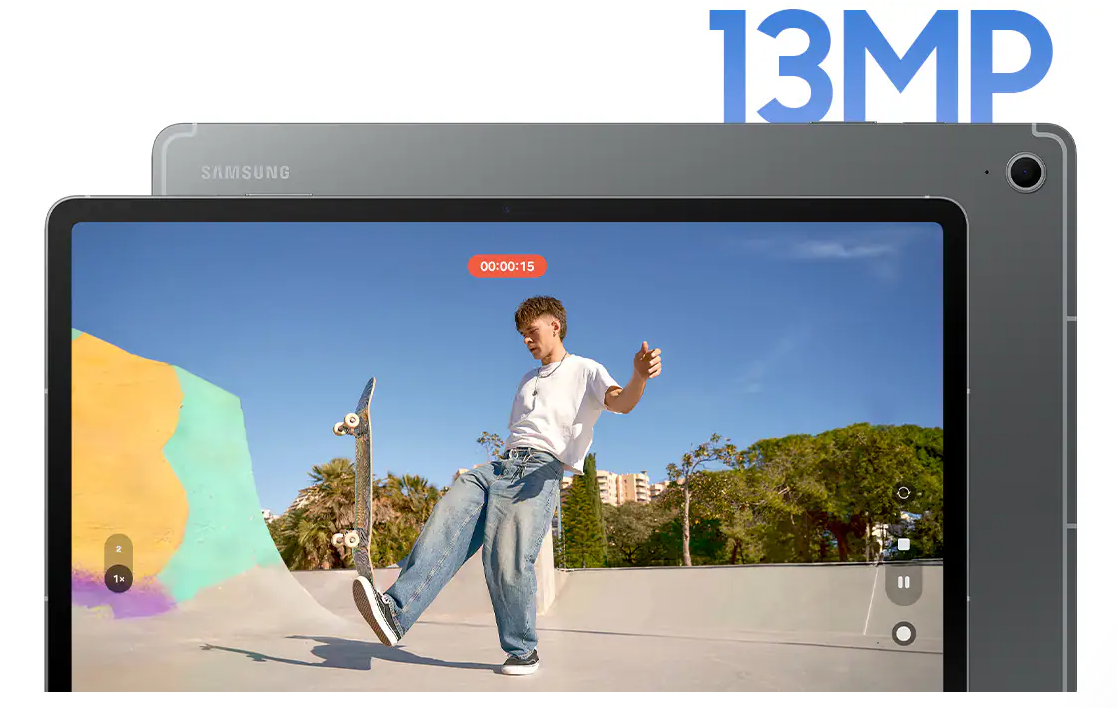
The Galaxy Tab S10 FE series boosts productivity when working or studying and delivers fast, smooth gameplay without interruption. Performance upgrades enable the Galaxy Tab S10 FE series to help users switch effortlessly between multiple apps when they are being creative, allowing for improved multi-tasking. And when capturing everyday moments in the classroom or in workspaces, a newly upgraded 13MP high resolution rear camera produces clear and vivid photos.

These versatile experiences, from powerful work to seamless play, accompany users everywhere they go. Now more than 4% lighter than its predecessor, Galaxy Tab S10 FE is even easier to carry around, while the Galaxy S10 Tab FE series offers hassle-free storage and mobility at home, on campus, in the workplace and elsewhere with its slim design. Engineered for resilience and durability to withstand the elements, the FE series also comes with the same IP68 rating as the newest Galaxy Tab S10 series.

Advanced Features Unleash Potential

Building on Samsung’s legacy of delivering premium experiences across the Galaxy ecosystem, the Galaxy Tab S10 FE+ and Galaxy Tab S10 FE are the first models in the FE series to come equipped with innovative AI capabilities right out of the box, fuelling user productivity.

Fan-favourite Circle to Search[ii] with Google allows you to search what you see on your tablet without switching apps. Quickly get the info you need, translate text on screen or get homework help with step-by-step explanations, all on one large screen.


Samsung Notes features like Solve Math for quick calculations of handwriting and text; and Handwriting Help to tidy up notes easily - make notetaking easier than ever so users can stay focused in the moment.

AI assistants are instantly launched with a single tap of the Galaxy AI Key on the Book Cover Keyboard. Plus, AI assistants can be customised based on users’ preferences for a more personalised experience.

An upgraded Object Eraser lets users effortlessly remove unwanted objects from photos, with automatic suggestions for quick and easy edits.

Newly introduced Best Face ensures perfect group photos by selecting and combining the best expressions and features.

Auto Trim brings cherished moments to life by sifting through multiple videos to seamlessly compile highlight reels. 


The Galaxy Tab S10 FE series also serves as the perfect canvas for creativity with pre-loaded apps and tools including LumaFusion, Goodnotes, Clip Studio Paint and more - alongside other spotlight apps like Noteshelf 3, Sketchbook and Picsart.

For an even more intuitive AI experience, the FE series seamlessly integrates with other Samsung Galaxy devices. Similar to the Galaxy Tab S10 series, users can access a comprehensive overview of their home status with the Home Insight widget dashboard and 3D Map View feature. Summarised status updates of SmartThings-enabled devices, give users peace of mind when out and about.

Security Your Way

As with any Galaxy device, the Galaxy Tab S10 FE series is fortified by strong security, Samsung Knox, Samsung Galaxy’s defense-grade, a multi-layer security platform built to safeguard critical information and protect against vulnerabilities with end-to-end hardware, real-time threat detection and collaborative protection.


Availability

From 5 May to 30 June 2025, Samsung is offering exclusive bundle deals on the Galaxy Tab S10 Series. When you purchase any Galaxy Tab S10, you can also receive the Galaxy Buds3 or the Smart Book Cover at the following special bundle rates:

Galaxy Tab S10 FE+ 5G: R15,999

Galaxy Tab S10 FE+ WiFi: R14,999

Galaxy Tab S10 FE 5G: R12,999

Galaxy Tab S10 FE WiFi: R11,999

To claim your Galaxy Buds3 or Smart Book Cover, simply follow the redemption process via Samsung Members.

These amazing devices from the Galaxy Tab S10 FE series come in three colours: Gray, Silver, and Blue.

For more information about the Galaxy Tab S10 FE series, please visit: https://www.samsung.com/sec/tablets/

Wednesday, February 5, 2025

Bucket Tech: Samsung Blue Tag Sale


Samsung’s Blue Tag Sale, currently on until 2 March 2025, is offering exclusive deals on advanced home appliances, electronics and devices that promote healthier living. With a focus on Home for Wellness, Samsung is committed to bringing cutting-edge technology that takes care of you and your well-being, balance, and sustainable living. From smart TVs and monitors to air-conditioners, fridges, and washing machines, Samsung is empowering individuals to make healthier choices, all from the comfort of their homes.


Samsung Smart TVs and Monitors: Wellness at Home

Samsung’s innovative Smart TVs and monitors are not only designed for entertainment but also as essential wellness tools for modern living. With an array of wellness apps, fitness programs, and guided meditation features, these displays encourage a holistic approach to health at home. Users can stream exercise routines, relaxation videos, and track their fitness progress—all through their Samsung TVs and monitors. Whether you’re looking to stay active, relax, or practice mindfulness, a Samsung TV or monitor can help you turn your home into a wellness hub.


Air-Conditioners: Breathing Easier with Clean Air

Samsung’s air-conditioners go beyond providing comfort with temperature regulation. They not only keep your room temperature comfortably in check, they also include a specialised filter to keep the air in your home clean and hygienic. The Samsung WindFree Air Conditioners have a Tri-Care filter feature that is made up of three layers that reduce harmful particles to help maintain healthy indoor air quality, and has been certified by Intertek to reduce 99.9% of bacteria.

With smart sensors that monitor air conditions in real-time, Samsung air-conditioners adjust to your home's needs, ensuring optimal temperature and air quality for a healthier, more comfortable living environment. Ideal for those looking to create a cleaner, fresher atmosphere at home, Samsung air-conditioners contribute to better breathing and overall well-being.

The WindFree also has a PM1.0 Filter that protects you from inhaling bacteria and tiny particles. It sterilises over 99% of bacteria that gets stuck on the filter surface.

As part of the Blue Tag Sale, Samsung is offering amazing discounts on select wellness-enhancing appliances, making it easier for you to invest in healthier living:

  • 75 Inch QLED 4K Q60D Tizen OS Smart TV (2024) - QA75Q60DAKXXA. Now R17,999* (save R1,999). You can pair it with the Essential C-Series Soundbar (HW-C450) for R3,299*.
  • 65 Inch Neo QLED 4K QN85D Tizen OS Smart TV (2024) - QA65QN85DBKXXA. Now R25,999* (save R2,000).
  • 65" DU7000 Crystal UHD 4K HDR Smart TV (UA65DU7000KXXA). Now R10,999* (save R1,000). Plus the Essential C-Series Soundbar HW-C400 (HW-C400/XA) at R1,299 (save R500).
  • 34" Odyssey G55T UWQHD 165Hz Gaming Monitor (LC34G55TWWPXEN). Now R9,999* (save R3,000).
  • 32" Smart Monitor M70D UHD, USB-C with Speakers & Remote (LS32DM702UAXXA). Now R7,999* (save R2,000).
  • AR9500T Wall-mount AC with Windfree TM and AI technology, 12000 BTU/h (AR12BSAAAWK/FA). Now R16,599* (save R3,000).

Wednesday, October 23, 2024

Bucket Tech: Samsung Care+


With the much anticipated Samsung Galaxy Z Fold6 and Z Flip6 now in stores, it's reasonable for shoppers to expect an enhanced level of care tailored to the unique needs of foldable devices.

The Standard Samsung Care+ plan offers essential protection for your Samsung Galaxy device, including one claim within a year, coverage for both the inner and outer screen in case of damage, eligibility for battery replacement upon claim (subject to inspection), and repairs conducted by Samsung-authorized technicians using genuine Samsung parts.

Save R1000: Pay only R999 for 1 year screen protection

To provide customers with unparalleled peace of mind, Samsung is offering a significant discount on its Samsung Care+ plan for a limited time. From July 10-to-31 October 2024, Samsung Galaxy Z Fold6 and Z Flip6 owners can purchase a 12-month Standard Samsung Care+ plan for just R999, representing a substantial R1000 saving on the regular R1999 price. This offer is only valid for 30 days from the date of purchase. To activate, visit https://www.samsung.com/za/offer/samsung-care-plus/.

Customers can also opt for the Premium Samsung Care+ plan, offering expanded coverage beyond the Standard plan. This includes additional protection for the screen, motherboard, liquid damage, and battery replacement (subject to repair inspection). Customers have the flexibility to choose between a two or three-year plan and can select from either a one-time or monthly payment option, starting from R169 per month.

Buy the Samsung Galaxy Z Fold6 and Z Flip6 now and get an accessories voucher of up to R2000 (Terms and Conditions apply). Additionally, you could receive up to R15 000 when you trade in your qualifying device towards the purchase of your new Galaxy Z Fold6 or Z Flip6.

Wednesday, August 14, 2024

Bucket Tech: Google Gemini


AI has been slowly creeping its way into almost everything over the past 2 years, it came in relatively unannounced with tech companies using AI to assist with some of the most minute applications but slowly it began to grow even more, AI became more than something on your smart phone to help you take better pictures, soon with applications like Chat GPT, you were able to get AI to write you letters, essays, heck, it can even write this post you're reading but rest assured, this one is coming straight from that grey matter in my head. Yes, AI is here to assist you, at the end of the day, AI can only do so much because its an ever evolving technology that feeds from information you give it. Apple recently at their event went through the various features their OS has with AI, by the way, they call it Apple Intelligence and not the global norm which is Artificial Intelligence. But Apple being Apple can do shit like that and the world will still be amazed. This however riled up the Android boys hence last night, Google decided to drop Gemini, their AI assistant that is available to use on all Android devices. Gemini is deeply integrated into Android and runs at its core, with the rest of the operating system being built around it, this they say will "redefine what phones can do". 

Yes, we've always had the interactive functions of "voice command" from Google before, but with Gemini it's become more streamlined and has a lot more functionality than before. With "Okay Google" command prompt it limited you to app based questions, while with Gemini, the command prompt is changed to a simple "Hello" and then you can ask it pretty much anything you want? What is great as per the above video, it can run through multiple apps to give you an answer with solutions and show you how to do it. For example, an email was sent to you to meet a person at a certain location at a certain time, the user asked Gemini for the info, it searched through Gmail for the specific email, found the time and location, opened Google Maps and told her how long it will take for her to get their with traffic information. This new personal assistant feature comes really handy for people on the go, to schedule appoints and reminders. 


As always, the big question comes about security, with so much information being fed into the Gemini, how sure are you that what you're telling it wont reach into the hands of those of others. Google says with its end-to-end approach to AI privacy on Android, all your personal information is secured. Google is using cutting-edge privacy technologies like Private Compute Core and federated learning to ensure the assistant experience with Gemini on Android is aligned with their existing Secure AI framework, AI Principles and Privacy Principles. They maintain they do no hand off to a third-party AI provider and everything on their ecosystem is in house. 


With Android global footprint on various devices, Gemini is the most widely available AI assistant, with this in mind, it supported in 45 languages in more than 200 countries and territories and its an ever growing platform with these figures only going to grow. Whether you're using Gemini on Pixel devices or Samsung devices, each brand has customized Gemini in various ways  to make it more comfortable for their user to experience.  Some stand out features will feature throughout the Android ecosystem like Samsung's "Circle to Search" is available on Gemini now and this is only the beginning. 

Wednesday, July 31, 2024

Bucket Tech: Samsung A55 5G Review

The Samsung Galaxy A55 5G is a commendable addition to the mid-range smartphone market, offering a blend of performance, design, and connectivity that caters to a diverse range of users. I spent a few weeks with this latest offering in the Galaxy A series category and here's a detailed look at its features and how it stands out in the South African market against it's competitors.

Unboxing


Design and Build

The Galaxy A55 5G sports a sleek, modern design with a premium feel. Its polycarbonate back with a matte finish provides a comfortable grip and reduces fingerprint smudges, making it practical for daily use. The device is available in various colors, appealing to both conservative and vibrant style preferences.


Display

Equipped with a 6.6-inch Super AMOLED display, the A55 5G delivers vivid colors and deep blacks, perfect for multimedia consumption. The Full HD+ resolution ensures crisp visuals, enhancing the experience of streaming services, which are increasingly popular in South Africa. The Infinity-O design, with a small punch-hole for the front facing camera, maximizes the screen real estate, making it ideal for browsing, social media, and gaming.


Performance

Powered by an Exynos chipset with an improved Octa-core CPU, the Galaxy A55 5G handles multitasking with ease. Whether you’re switching between apps, playing graphically intensive games, or working on productivity tasks, the performance remains smooth and responsive. The 128GB or 256GB of internal storage, expandable via microSD up to 1TB, offers ample space for apps, photos, and videos. Gaming on the A55 is simply brilliant, playing games such as COD which are heavily RAM and WiFi dependent, I had zero issues with loading and game play, in-fact, it was such an immersive experience, I got locked in the day I installed it and played for almost 2 hours straight!


5G Connectivity

One of the standout features of the A55 is its 5G capability. As 5G networks expand across South Africa, the A55 is future-proofed to take advantage of faster data speeds and improved network reliability. This makes it an excellent choice for users who rely heavily on mobile data for streaming, online gaming, or remote work.

Camera System

The triple camera setup on the Galaxy A55 5G includes a 50MP main sensor, a 12MP ultra-wide lens, and a 5MP macro lens with depth sensor. This versatile array allows users to capture a wide range of shots, from detailed close-ups to expansive landscapes. The camera performance is solid in good lighting, with decent low-light capabilities, thanks to the Night Mode feature. The 32MP front camera produces sharp and vibrant selfies, catering to social media enthusiasts. No with AI functionality, the camera can take pictures with the best settings all by detecting the environment and lighting around. The AI engine also enhances the editing experiences with a simple touch of a button that will transform the images taken by you. 


Battery Life

The 5000mAh battery ensures that the Galaxy A55 5G can easily last a full day of moderate to heavy use. With 25W fast charging support, recharging the device is quick and convenient, minimizing downtime. For South Africans who are often on the go, the reliable battery life is a significant advantage and with you not needed to hunt for a socket outlet to charge at any given time helps a lot. I used the device to multitask, meaning using it as a WiFi hotspot for my laptop (I don't trust free WiFi), taking pictures, making calls and checking on social media, the device lasted me my full day which starts at 5:30am at the gym till I go to bed at 10pm at night. I was very impressed. 

Price and Value

Coming in at R9,999 the Samsung Galaxy A55 5G is really a device that is extremely well priced. In the South African market, where price sensitivity is crucial, the Galaxy A55 5G offers great value for its features. It competes well with other mid-range devices, delivering a premium feel without the flagship price tag. Samsung’s strong brand presence and reliable after-sales service in South Africa further enhance its appeal.

Conclusion

The Samsung Galaxy A55 5G stands out as a versatile and capable smartphone, well-suited to the diverse needs of South African users. Its combination of performance, design, and future-ready connectivity makes it an attractive choice for anyone looking for a reliable mid-range device. Whether you’re a student, professional, or tech enthusiast, the A55 5G is equipped to handle a variety of tasks with ease.

Some Examples of pictures taken with the A55